JavaScript Arrays
JavaScript Arrays Explained for Beginners 📦
1. Why Do We Need Arrays? 🍎
Imagine you want to store five fruit names.
Without an array:
let fruit1 = "Apple";
let fruit2 = "Banana";
let fruit3 = "Mango";
let fruit4 = "Orange";
let fruit5 = "Grapes";
This quickly becomes hard to manage.
Instead, we can store them in one place using an array.
let fruits = ["Apple", "Banana", "Mango", "Orange", "Grapes"];
Now all fruits are stored inside one variable.
2. What is an Array? 📚
An array is a collection of values stored in order.
Example:
let fruits = ["Apple", "Banana", "Mango"];
You can store many items in a single variable.
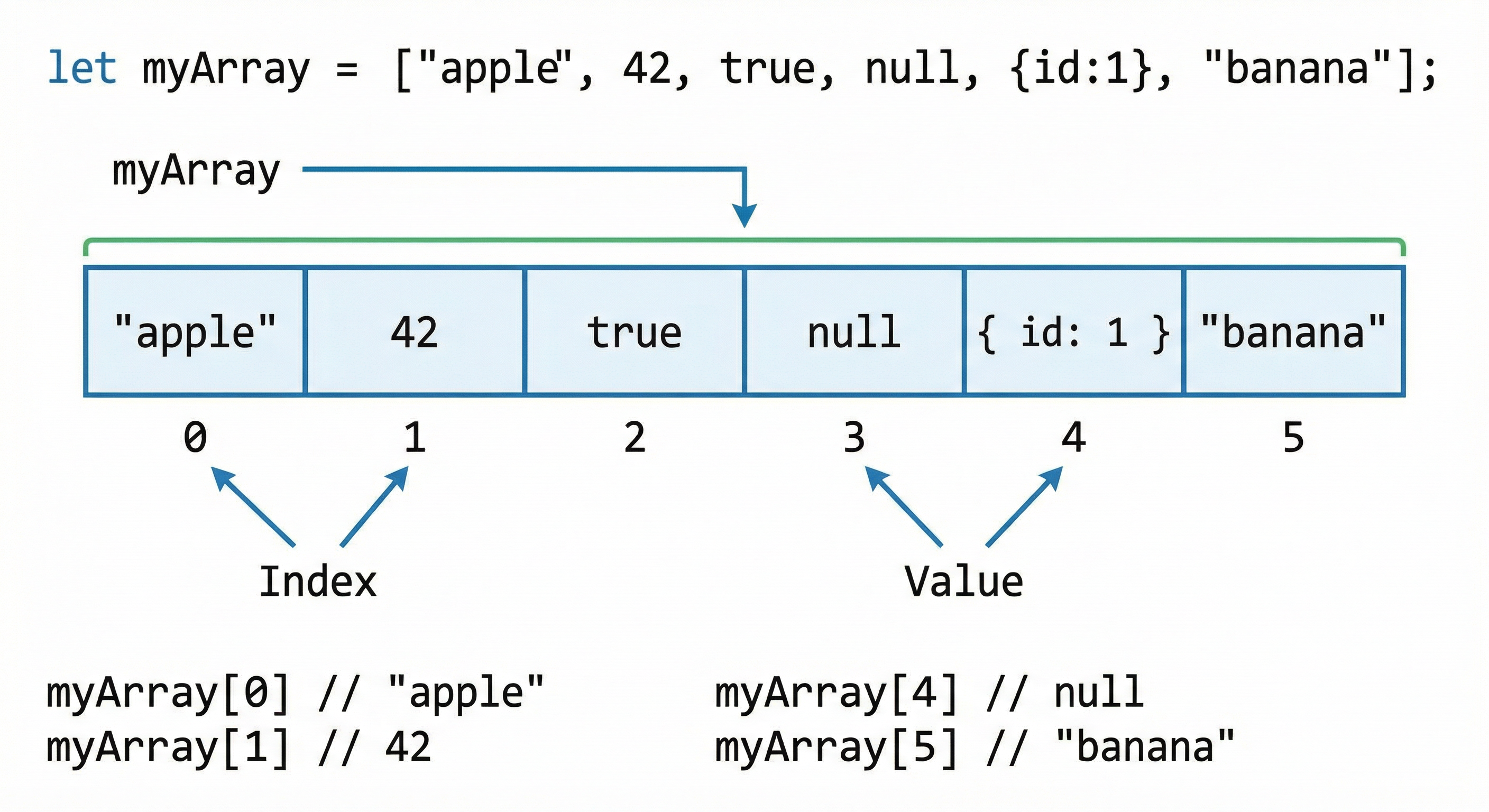
Visual Representation
Important rule:
Array indexing starts from 0, not 1.
3. How to Create an Array 🛠️
Basic syntax:
let arrayName = [value1, value2, value3];
Example:
let colors = ["Red", "Blue", "Green"];
Another example:
let marks = [80, 75, 90, 60];
4. Accessing Array Elements 🔎
We access elements using their index.
Example:
let fruits = ["Apple", "Banana", "Mango"];

console.log(fruits[0]);
console.log(fruits[1]);
console.log(fruits[2]);
Output:
Apple
Banana
Mango
Explanation:
fruits[0] → Apple
fruits[1] → Banana
fruits[2] → Mango
5. Updating Array Elements ✏️
You can change a value using its index.
Example:
let fruits = ["Apple", "Banana", "Mango"];

fruits[1] = "Orange";

console.log(fruits);
Output:
["Apple", "Orange", "Mango"]
Here we replaced Banana with Orange.
6. Array Length Property 📏
Arrays have a built-in property called length.
It tells us how many elements are inside the array.
Example:
let fruits = ["Apple", "Banana", "Mango", "Orange"];

console.log(fruits.length);
Output:
4
This means the array contains 4 elements.
7. Looping Through Arrays 🔁
Often we want to process every item in the array.
We can use a for loop.
Example:
let fruits = ["Apple", "Banana", "Mango"];

for (let i = 0; i < fruits.length; i++) {
  console.log(fruits[i]);
}
Output:
Apple
Banana
Mango
How it works:
Start from index 0
Continue until length of array
Print each element
Assignment Practice 💻
Try solving this small exercise.
Step 1: Create an array of 5 favorite movies
let movies = ["Inception", "Interstellar", "Avatar", "Titanic", "Joker"];
Step 2: Print first and last element
console.log(movies[0]);
console.log(movies[movies.length - 1]);
Step 3: Change one value
movies[2] = "The Dark Knight";

console.log(movies);
Step 4: Loop through the array
for (let i = 0; i < movies.length; i++) {
  console.log(movies[i]);
}
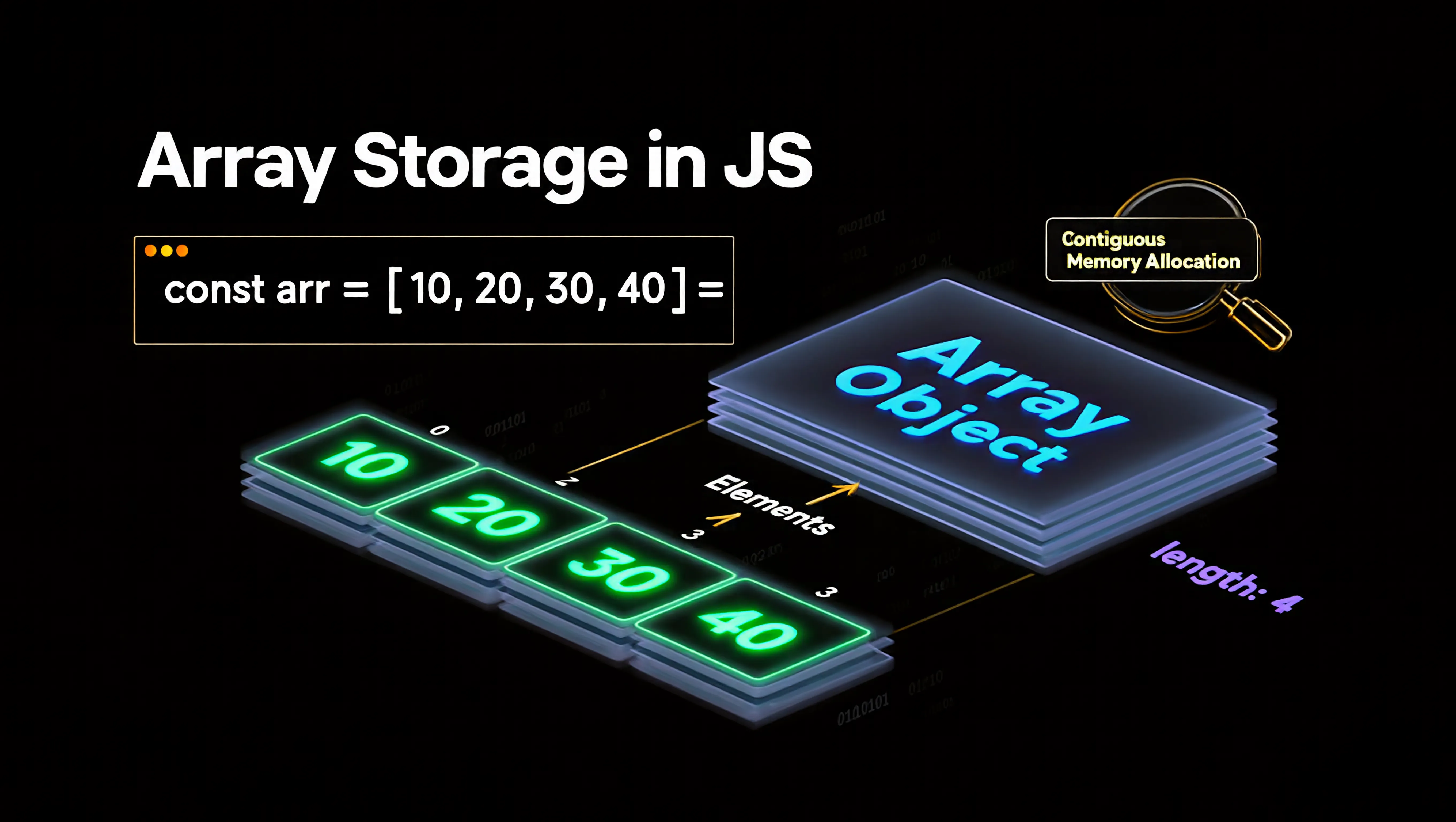
Array Storage Diagram 🧠
Each value has its own position (index).
Key Takeaways 🚀
Arrays store multiple values in one variable
Array index starts at 0
Elements are accessed using array[index]
The length property tells the number of items
Loops help us process all elements easily